My wife does most of the cooking in our house, though occasionally I'm allowed into the kitchen to help out. Sometimes I'm even allowed in unsupervised! In those instances, it's very helpful for me to have a recipe to follow - but my wife often doesn't write down her recipes as she just "knows how to make it", which is unhelpful for me. I needed a lightweight way to share recipes that didn't involve writing it down in a notebook or notepad...
The solution
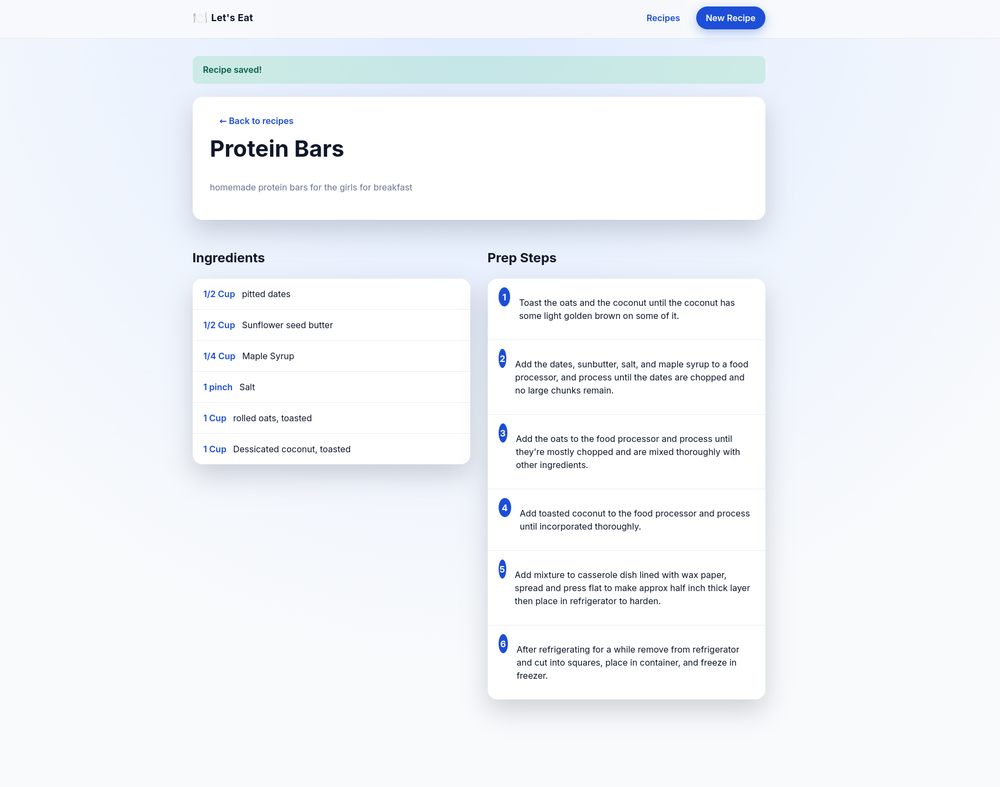
The solution to this was to create a small, lightweight, recipe tracker that she can use to save the recipes, and I can use to reference them when I need to make something. It's pretty basic in it's functionality, and that's on purpose.
Feature Highlights
- Ingredients list - list and save ingredients needed plus their amounts
- Step by step instructions - list the instructions step by step
- Drag and drop recipe editor - if you accidentally put steps in the wrong order you can drag and drop the steps to correct the order without having to re-type them.
- Photos - you can add photos of either the completed dish or the steps for the instructions (to highlight what the step calls for).
But the real magic is in a custom import engine that allows for importing recipes from photos. It scans the images with an OCR engine, pulls out the text, then takes the unstructured text and formats it into the structure we'd need for our data model before inserting into the database. There's a dry run mode so you can test it against your recipes before inserting into the db and - once satisfied that it will work correctly - you run it for real and... voila, you've got a library of recipes.
It's small, and simple, but it does the job and does it well. It also runs remarkably well on a SBC like a Raspberry Pi, for a low powered option for how to host/run it.